Save recipes from any website
Found a good recipe online? Open it in Reseppi's built-in browser and tap Get Recipe. Ingredients, steps, cooking time and photos land in the recipe editor — no ads, no life story, nothing saved until you say so.
Coming soon to the App Store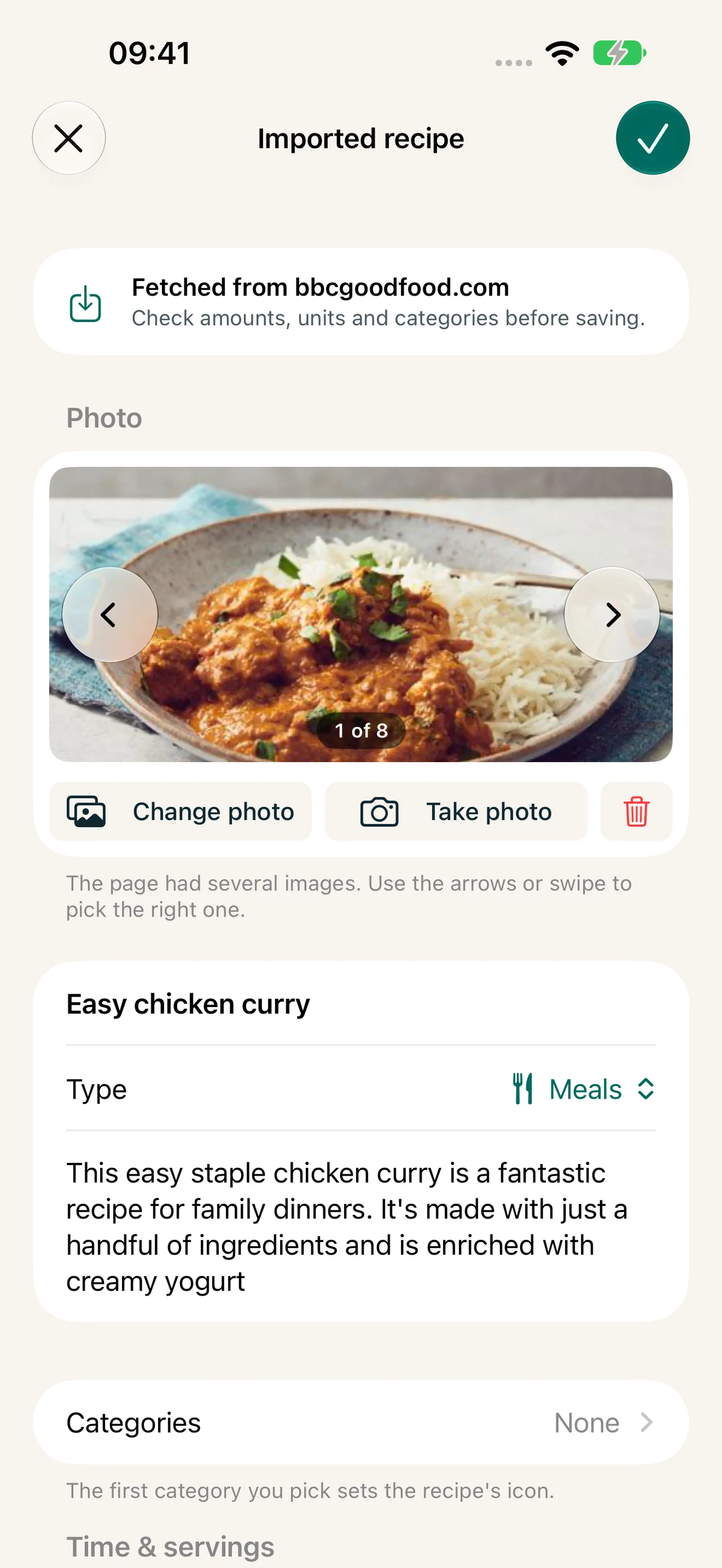
Works on most recipe sites
Reseppi reads the recipe data most sites publish, and also handles sites that build their pages with JavaScript.
Pick the best photo
The import collects the recipe's photos. Swipe between them in the editor and keep the one you like.
AI as backup
When a page has no recipe data, AI reads the recipe from the text: Apple Intelligence, or Claude with your own key. You can switch it off.
Links from the clipboard
Copied a recipe link in Safari or Messages? Reseppi asks if you want to open it when you switch to the app.
How it works
-
1
In the recipe list, tap + and choose Find recipes on the web.
-
2
Search, type an address or pick one of the shortcuts to popular recipe sites.
-
3
On the recipe page, tap Get Recipe — the button turns green when the page has recipe data.
-
4
Check the ingredients, steps and photo in the editor and tap the checkmark to save.
Frequently asked questions
Is the original recipe linked?
Yes. Every imported recipe keeps a link to its source, shown in the recipe view.
What if a recipe doesn't import correctly?
You can fix anything in the editor before saving. If a site keeps failing, tell us through support with the address.
Can I type in my own recipes?
Of course. Choose Write new recipe in the + menu and fill in ingredients, steps, times and a photo.
More features
Plan the week's meals in minutes
Plan breakfast, lunch, snacks, dinner and dessert for the week. Mark leftovers, skip meals and plan separate meals for kids and adults in Reseppi.
A shopping list that writes itself
Turn the week's meal plan into one shopping list: ingredients summed and scaled to your servings, what you have at home ticked off, ready to share.
One recipe book for the whole household
Invite your household through iCloud and share recipes, the week plan, the shopping list and the family's ratings. The owner pays, everyone gets Reseppi+.