Plan the week's meals in minutes
The week plan answers "what's for dinner?" before Monday starts. Pick the days and meals you want to plan, add a recipe to each — and the shopping list follows from the plan.
Coming soon to the App Store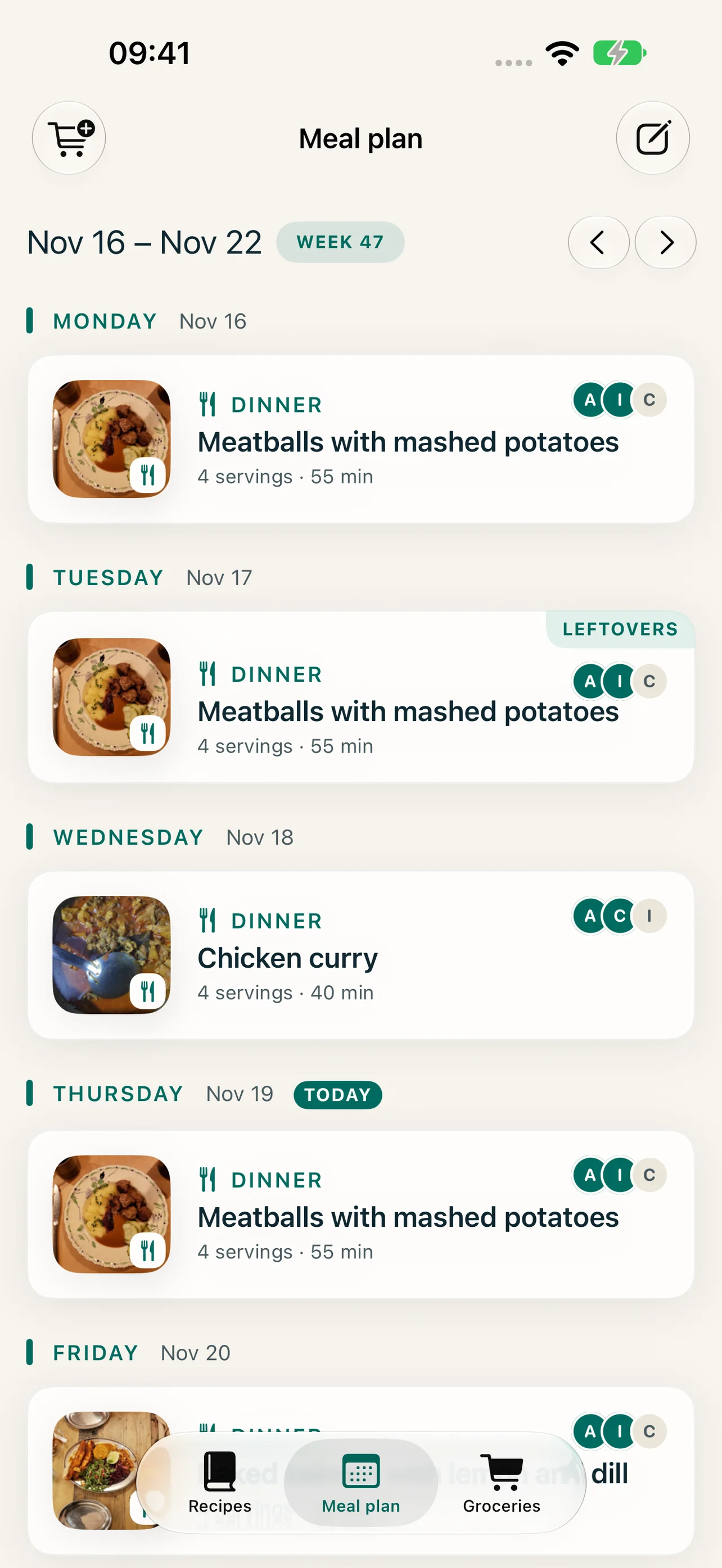
Every meal of the day
Breakfast, lunch, snack, dinner and dessert. Choose which days and meals you usually plan in Settings.
Leftovers and skipped meals
Mark a meal as leftovers — and from which dish — or skip it. Neither ends up on the shopping list.
Kids and adults
Add more than one dinner on the same day and name them, so the kids can have leftovers while the adults cook.
Pick what everyone likes
Search and filter the recipe picker on favourites, under 30 minutes or liked by the family.
How it works
-
1
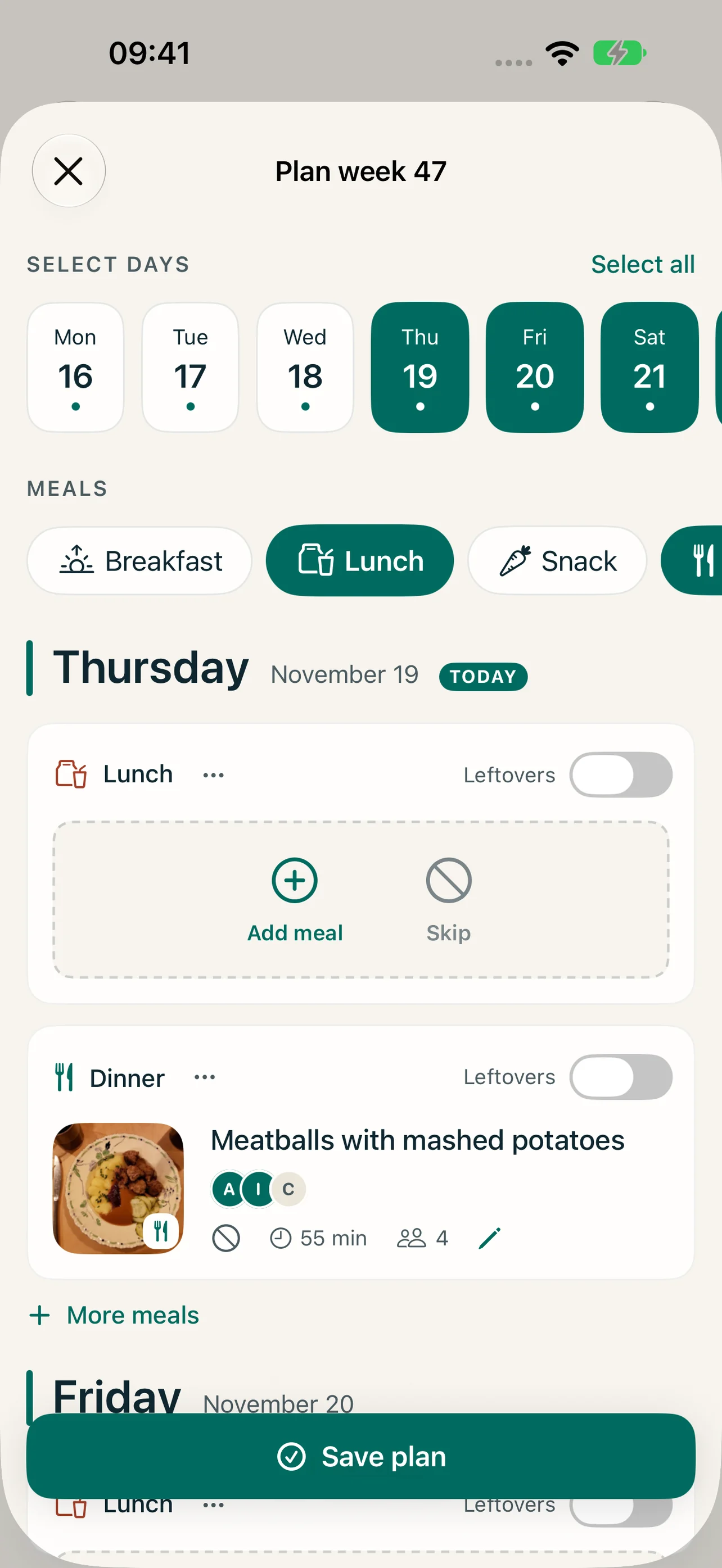
Open Meal plan and tap Plan the week, or Plan on a single day.
-
2
Choose the days and the meals you want to plan.
-
3
Tap Add meal, pick a recipe and set the servings — or mark leftovers or skip.
-
4
Tap Save plan. Then tap Create shopping list (the cart).
Frequently asked questions
Can I plan several dishes for one meal?
Yes. Turn on several dishes per meal in Settings, and add a main course and a salad to the same dinner.
Can the whole household see the plan?
Yes — in a shared household everyone sees and can change the same week plan. See shared households.
Can I go back and change past weeks?
Past weeks are read-only, so you can see what you ate but plan only from today onwards.
More features
Save recipes from any website
Browse recipe sites inside Reseppi and fetch the recipe with one tap: ingredients, steps, times and photos, ready to check and save in your recipe book.
A shopping list that writes itself
Turn the week's meal plan into one shopping list: ingredients summed and scaled to your servings, what you have at home ticked off, ready to share.
One recipe book for the whole household
Invite your household through iCloud and share recipes, the week plan, the shopping list and the family's ratings. The owner pays, everyone gets Reseppi+.