A shopping list that writes itself
Reseppi collects the ingredients from every planned meal, scales them to the servings you planned and adds them up — two recipes with milk become one line. Tick off what you already have, and the rest is your list.
Coming soon to the App Store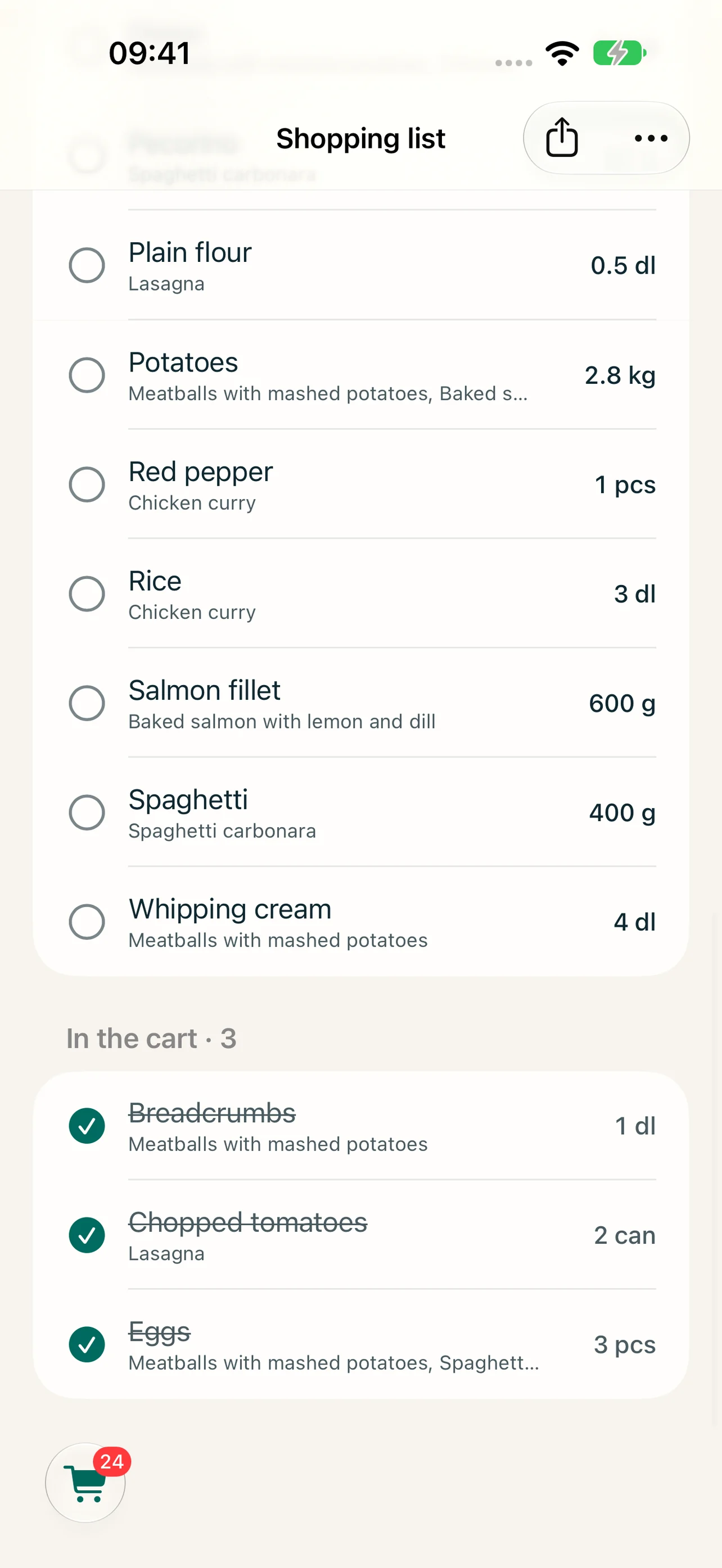
Summed and scaled
Amounts are scaled to your servings and added together when the units match, like dl and litres.
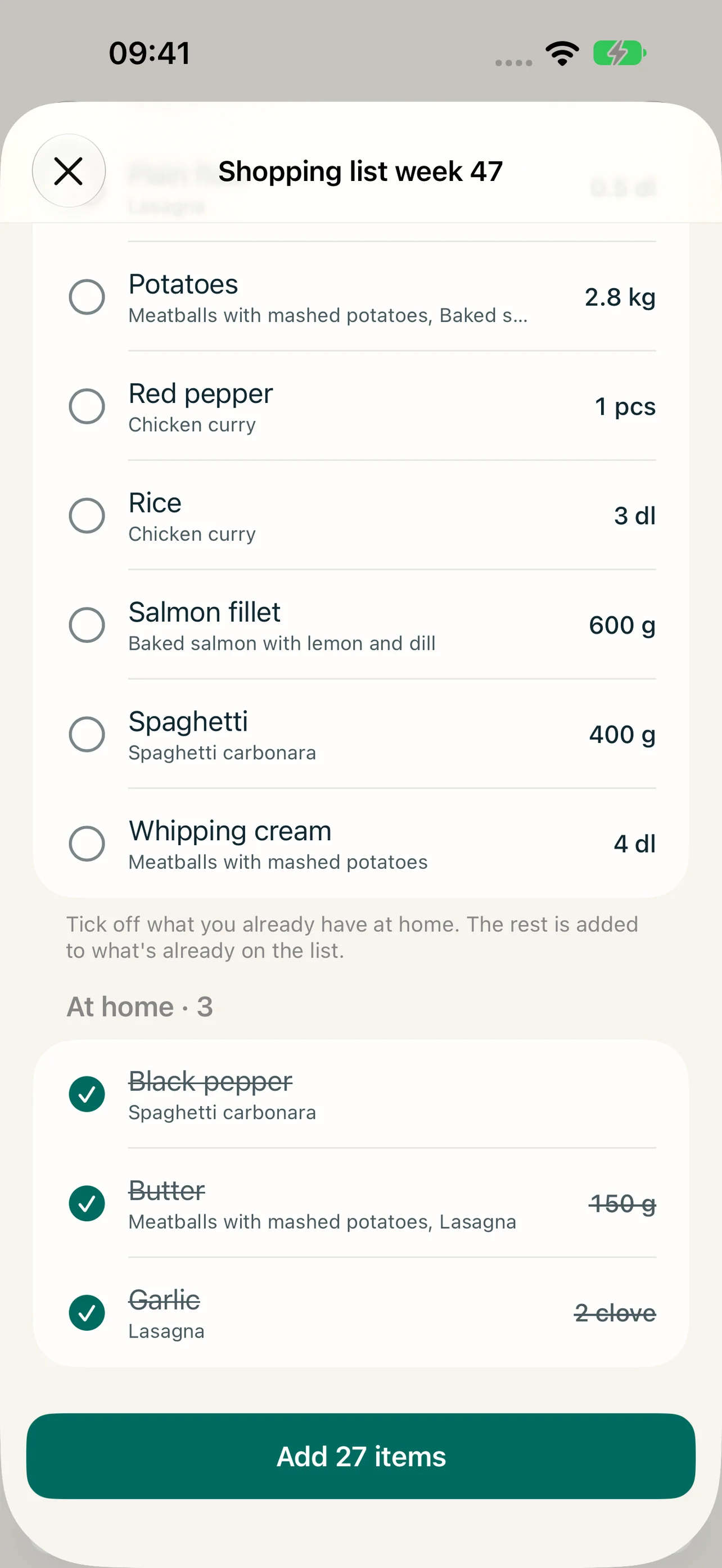
Skip what's at home
Before anything lands on the list, tick off what you already have. Only the rest is added.
Combined, by recipe — or several lists
See one line per item, or a section per recipe with each recipe's own amount. Need a list per shop or trip? Turn on several shopping lists.
Share it anywhere
Send the list as text to Messages, Notes, Reminders or email — the whole list or one recipe.
How it works
-
1
In Meal plan, tap Create shopping list (the cart).
-
2
Tick off what you already have at home.
-
3
Tap Add n items — the rest is added to what's already on the list, nothing is replaced.
-
4
In the shop, tick items off as they go into the cart — or share the list with whoever is shopping.
Frequently asked questions
Can I add things that aren't in a recipe?
Yes. Type them into the field at the top — suggestions appear as you type. Your own items are never merged with recipe items.
Does it handle metric and US units?
Yes. Amounts with the same kind of unit are added together. If everything is in US units, the total stays in US units.
Can I have more than one shopping list?
Yes. Turn on Several Shopping Lists in Settings → Shopping list, and give each list a name — one per shop, or one for the weekend. When you add from a recipe or the meal plan, you choose which list. The setting applies to the whole household.
Can several people use the same list?
Yes, in a shared household the list is the same for everyone. See shared households.
More features
Save recipes from any website
Browse recipe sites inside Reseppi and fetch the recipe with one tap: ingredients, steps, times and photos, ready to check and save in your recipe book.
Plan the week's meals in minutes
Plan breakfast, lunch, snacks, dinner and dessert for the week. Mark leftovers, skip meals and plan separate meals for kids and adults in Reseppi.
One recipe book for the whole household
Invite your household through iCloud and share recipes, the week plan, the shopping list and the family's ratings. The owner pays, everyone gets Reseppi+.